Tray Icon
The tray icon (next to your Windows clock) is the quickest way to open and control idgard Sync.
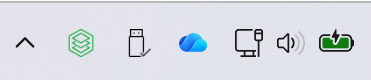
If you do not see the icon right away, click the up arrow in the taskbar to show hidden icons. You can pin it for faster access.
You can use these mouse actions:
- Single Left Click
Opens the SyncOverview. - Double Left Click
Opens your idgard drive in Windows Explorer (when you are signed in) or the LoginView. - Single Right Click
Opens the context menu with actions such as account options, settings, and sync controls.